Showing posts with label reading. Show all posts

Thursday, May 24, 2018

Home School Navigator (Reading/Language Arts Curriculum Review)

We've been checking out the interactive notebooks by Home School Navigator for the past few weeks. They are part of the overall Home School Navigator Reading and Language Arts Curriculum which offers 6 different levels of instruction which are indicated by color, with Red, Orange, and Yellow indicating earlier learning, and Green, Blue and Indigo more advanced. The interactive notebooks are included in the upper levels, and are what my review will focus on, although I will also give an overview of the whole program.

So, what is an interactive notebook? Well, it's a notebook with shapes and flaps that provide a more interesting and interactive way for your child to record their answers to comprehension and discussion questions about a particular chapter book instead of simply filling in blanks or writing on a plain sheet of paper.

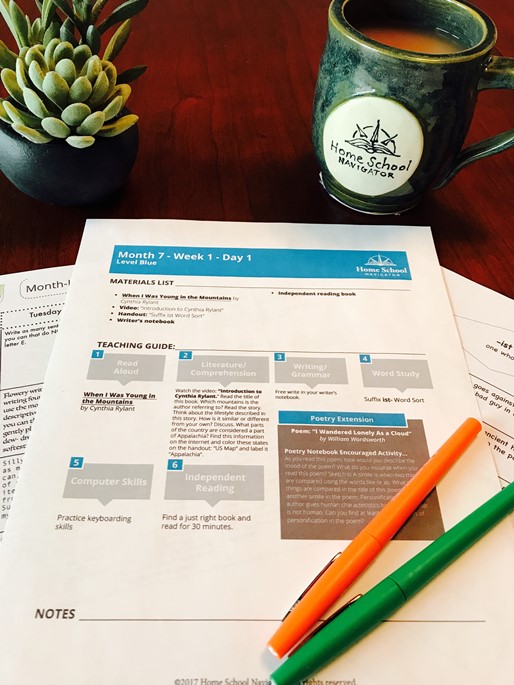
Home School Navigator has placed their discussion questions, vocabulary words and comprehension questions into simple graphic formats that are then glued onto a notebook page and filled out. When you become a Home School Navigator subscriber, part of the monthly handouts includes the graphics for the Interactive notebook. You can see below a screenshot of some of the pages we used for the Because of Winn Dixie Interactive Notebook, which is found in the handouts for Month 6 of the Blue Level.


As your child reads through the book, there are items to fill out for every 4-5 chapters.
I recommend printing on colored paper if you have it, as it helps to add interest for most kids. :) Here is what our printed pages looked like before they were put into the notebook.
You don't need anything crazy~ I chose to use a wide rule, spiral bound notebook for my son's work.
A note: Know your children, and even if you think they know what they are doing, check in on them... ;)  Because my son is on the upper end of the age range, I figured he could take ownership of this activity more or less on his own. I handed him the pages, instructed him to cut out each piece and showed him how to glue them down. The pieces are flat with a dotted line where you fold the page up to write the answer beneath. I showed my son that you only glue down the part that is above the dotted line, but he got a little confused a couple of times~ you can see the orange pieces were folded the other way and glued down the wrong way... oops... These pieces are a little different from others we've used before with a similar idea. :) Another thing that wasn't in the instructions, but that I added was to draw around the edge of the shape so that when the flap was lifted he would know his boundaries for writing.

This set of pages shows vocabulary and discussion/comprehension questions with flaps up (kind of) and down.


And here you can see that there are a few pieces included that are informational (middle blue strip), and another that requested an illustration rather than an answer.

If your children are hands-on and enjoy cutting and pasting, this would probably be a hit for them. My son, sadly, is not in that camp. However, this was very good for him to continue practicing his cutting skills, which he generally avoids like the plague (no worries about important papers being turned into snowflakes by HIM! ;), and we had a few discussions that were interesting.
I will say that I do wish that the Master Book List was readily available to the public, as I am very picky about book choices in my home, and want to know up-front what the focus will be. I am sure there are other families with a similar wish. There were definitely chapter books in the upper levels that were not as good a fit for our family, so it was a little difficult for me to find one to use with my son at the appropriate level.  We had a false start with "The Invention of Hugo Cabret" which I thought he would enjoy, but freaked him out instead... (he has a bit of a phobia about robots which translated to the automaton in the story, which I didn't expect), and we ended up with "Because of Winn Dixie" as you could tell.

OK, that being said let me give you a quick glimpse of the rest of the program, even though it wasn't the focus of our particular review (I contemplated switching our focus, but chose not to as many of the books used were books that we had already read/studied/discussed, and that would not have been a good use of our school time~ another reason to make that book list public...),

Each level is broken down into 9 months of work. Each month focuses on a different genre of writing, including:

  • Author Studies (Usually two or three in each year)
  • Biography/Autobiography/Memoir
  • Fables/ Tall Tales
  • Folk tales/ Fairy tales
  • Historical Fiction
  • Mythology
  • Nonfiction Texts/Persuasive Texts
  • Poetry
  • Procedural Texts
  • Realistic Fiction
  • Traditional Stories
Here is a look at the basic scope and sequence which can be found on the FAQ page 


You can see that there is a lot more to this program with a focus on many reading and writing skills. The monthly handout download I mentioned above is a good thing to skim through to give you a bit of an idea of what the month will hold.

The next item you will want to download is the weekly guide which shows everything you need for each day, each week as well as a breakdown of the day's activities. *Note: You don't have to do EVERYTHING for every day~ this is a "Buffet" of activities~ pick and choose what will work best for your own situation...


You can print these or just use them from your computer.

The rest of the program is accessed from the student dashboard. Each day has a bunch of buttons, for lack of a better word, that are clicked on in order, with all of the instructions and links required. If you haven't already printed out the month's handouts, they are linked individually here as well.


Almost every section includes a video with your child's guides (Ashley and Beth) showing them what to do, and explaining things along the way. This could be very helpful for the new homeschooling parent.

One other item that may be of interest to some parents is the fact that you can upload your child's work to the website, and they will save it/compile it into an end-of-year portfolio (there are reminders to do just that at the end of the daily teacher's guide).


Not So Nutty Nitty Gritty 
Please click the banner below to visit the TOS Homeschool Review Crew and see what others had to say, especially if you are more interested in the actual day-to-day use of the program, because many others focused on that in their reviews. As always, I hope that this review was useful to you as you choose where best to spend your homeschool budget.
Blessings~
Click to read Crew Reviews
Crew Disclaimer
#hsreviews  #readingsuccess    #readingstrategies   #makinglifelonglearners

Thursday, November 2, 2017

The Magic Stories (Reading Supplement Review and Giveaway)

The ability to read is probably the most valuable scholarly skill that can be taught, as virtually all other instruction builds on that capacity. It is also one of those skills that can cause a great deal of anxiety and frustration for both parent/teacher and young child. Supplemental materials that offer learning opportunities in an engaging manner, like The Magic Stories can be a huge blessing to those teaching early reading, or helping those who struggle with reading.


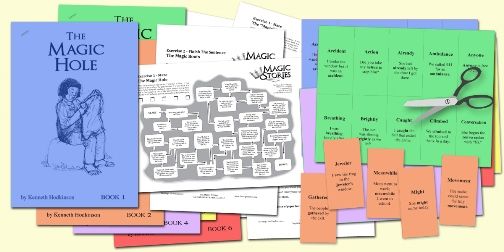
The Magic Stories is a new product put out by Allsaid & Dunn, LLC,  publishers of the highly acclaimed "Wordly Wise" vocabulary series, and also a product I reviewed a number of years ago, The Reading Game. This time, instead of a workbook (like Wordly Wise), or a matching game (like the Reading Game), the chosen format is a set of six stories optimized for reading on iPad or computer screen, or they can be printed out in booklet form. I just read them on my computer screen, as my ipad has limited capacity at the moment. If your child loves to read and color, printing them would be a good option, as there are nice, black and white illustrations suitable for coloring in (probably with colored pencil).


The purpose behind this particular series is to help children move from the simpler, early beginning reader words to some that are more complex, but not easily decoded through basic phonetic skills and word family association. This is done by incorporating "40 Naughty Words" that don't follow the rules, and need to be learned somewhat more individually. Each Story includes its own set of 40 Naughty Words in a deck of cards that can be printed for flashcard use, or game play (Print twice on cardstock and use it to play a concentration/matching game, or Go Fish or Old Maid, or anything similar your child enjoys. :). These cards are the main method of learning the vocabulary for these books.


In addition to the stories, you can download  worksheets which include a pre/post word assessment (highly recommended to use this prior to reading the story). There are also reading comprehension worksheets, as well as instructions on how to best use the stories with your children. All of these can be found on the Parent Guide section of the website.

  • Finish the Sentence (comprehension exercise that requires the student to finish a sentence about the story, with information gleaned from the story.)
  • Imagine (Open-ended type questions)
  • Finish the Story 
        
  • And my personal favorite, a True/False comprehension "Maze" that I think is fun and creative! :) 

          
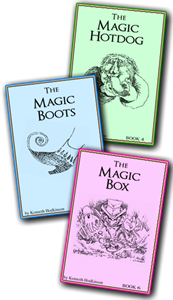
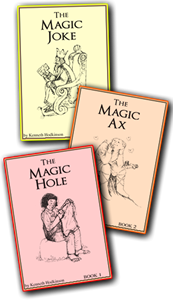
Now, a word about the stories. The stories are engaging and most of them end up with some sort of moral application, as all good stories do. Here is my quick take away from each story.

The Magic Hole is set in China ~ sometimes the silver lining can actually be the treasure in the end.
The Magic Ax is in an ambiguous forest setting~ having secrets (that might normally be considered good news) can change you (usually not for the best).
The Magic Joke is set in a kingdom ~ in which a foolish king is saved from "war for war's sake" by the quick thinking of his daughter.
The Magic Hotdog is more of a cautionary tale~ in which we learn that an obsession with anything (even something as simple as hot dogs) is not good for your health.
The Magic Boots didn't actually have as much of a take-away, in my opinion. Just a little story about a mix-up between pixies and goblins.
The Magic Box is a different take on Rumplestiltskin, a cautionary tale of the dangers of greed, to some extent. (side note~ I don't particularly love cautionary tales, because they generally don't have a happy ending... :/ However, others love them, so this is just an FYI).

The stories as a whole remind me of some of the fairy tales I read as a child, and the fact that they have specific words woven through them so seamlessly is pretty impressive. If you appreciate the qualities of fairy tales, you might want to give the Magic Stories a try with your intermediate/reluctant/struggling reader.

Allsaid & Dunn are offering my readers a 25% discount on your purchase if  you input the code   raisingreaders   into the coupon box at checkout.

They are also providing a free set of Magic Stories for one reader of my blog... see the giveaway below.

a Rafflecopter giveaway

Not So Nutty Nitty Gritty 
  • Company: Allsaid & Dunn, LLC, Publishers 
  • Product: The Magic Stories
  • Ages: 2nd and 3rd grade (regular readers, older for struggling readers) 
  • Price: $16.95
You can visit The Magic Stories on the Reading Game's Facebook, Twitter, Pinterest, and YouTube pages.

Please click the banner below to visit the TOS Homeschool Review Crew and see what others had to say. As always, I hope that this review was useful to you as you choose where best to spend your homeschool budget.
Blessings~
Click to read Crew Reviews
Crew Disclaimer

Wednesday, October 18, 2017

Reading Eggs (Reading Eggspress Review)


I reviewed Reading Eggs with my Youngest as a beginning reader a couple of years ago (Whoops! Make that review 5+ years ago~ man time flies!), and it was one of the programs that he really enjoyed, even asking as recently as this year if he could use it, even though he had surpassed the age range/reading ability of the main program. ;) YOu can imagine he was very pleased to be on the review again, so that we could try out the program for older elementary students, Reading Eggspress. If you aren't familiar with Reading Eggs at all, here is a quick rundown of the basic programs they offer:

  • Reading Eggs Junior for 2-4 year olds (pre-readers)
  • Reading Eggs for 4-7 years old (beginning readers) 
  • Reading Eggspress for for 7-13 years old (fluent readers) 
  • and their non-reading program, Mathseeds for children aged 3-9

I received a 6 month subscription to Reading Eggs, which allowed me to access every part of the program. Reading Eggs is offering Homeschool Review Crew readers a four week Free Trial if you click through this link, so that you can check them all out as well, if you have children in the 2-13 year old range.

Program Set up
Your child will take an placement test when first accessing the lessons (which is probably the only difficulty we've had~ my son took the test on the ipad, and wished that there was a "submit" button for each problem, as a couple of times his finger slipped and hit an answer that was wrong, but it submits automatically, so he ended up in a level that may be a bit below his actual abilities. However, that being said, I appreciate the level he ended up in, as he is learning to be more careful with his answers. ;) If I was truly dissatisfied with his level, Reading Eggs offers the ability for the parent to adjust the level manually or have the student take the placement test again. This is true for the reading and math programs both.

Sample placement test question. Test continues until 2 questions are missed
Once the placement test is taken, your student can continue directly to their Reading Eggs dashboard where they can access the various areas of the program.


The central location contains the meat of the program, the Lessons. Each Lesson contains 9 or 10 activities that must be passed in order to continue to the next lesson on their map. Parents can keep track of progress on the parent dashboard as well as through progress reports sent directly to their email.
  • English Skills contains the Reading Eggs Spelling program
  • The Stadium offers the opportunity to pit their knowledge in Spelling, Grammar, Vocabulary, or Usage against other Reading Eggs users across the world. 


  • The Library contains a variety of books to read, and each book comes with built in comprehension quizzes. I would recommend keeping an eye on the books your child is reading, as there may be those that you wouldn't care for your child to read (one of the "books of the day" highlighted in the library the day I chose to take screenshots for this review was "The Trouble With Boyfriends" ~ not exactly what the target age for this program should be reading in my opinion, but to each his own... The other book of the day was on Railroads, so would be much more appealing to my 10 year old son. :) ) 

The library allows kids to browse a variety of reading genres and search for topics, but again, be aware of what they are choosing. ;) As with any library there are good books and twaddle..


Extras at the back of a book on the Civil War

  • Targets offers challenges to help students make use of the various aspects of the program
  • The Mall, the Apartments, The Trophy Room, and the Arcade are the "fun" parts of the program that let your child utilize his accumulated points (reading eggs earned by reading and answering questions)  This is one of my son's favorite things, and his incentive to do more than I ask each day. :) 
In addition to the electronic program, Reading Eggs offers printable bonus materials. 

  • Activity sheets that correspond to each lesson for Reading Eggs and Mathseeds  (Homeschool Worksheets with an overview for the parent instructor and printable worksheets to reinforce each lesson, and Color ) and Reading Eggspress (English comprehension and Spelling Worksheets that correspond to each lesson).

  • Parent User Guide which shows how to use the program and contains Lesson Overviews (scope and sequence) for Reading Eggs and Reading Eggspress.

  • Homeschool Program that offers a schedule for the whole year for grades K-2 covering Reading, Math, Science, and Social Studies, utilizing books in the Reading Eggs library of over 2500 titles.

While there are a few books/topics I would prefer to weed out, by and large, I appreciate the approach to phonics (which thankfully main stream education is coming back to), comprehension, and basic reading skills. 

If this is something you are interested in, you have nothing to lose by signing up for that Four Week Free Trial mentioned at the beginning of my review. 

Not So Nutty Nitty Gritty 
  • Company: Reading Eggs
  • Product: Six Month Subscription Reading Eggs Products
  • Ages: 2 years old - 13 years old
  • Price: 
    • 6 month subscription: $49.95
    • 1 year subscription: $59.95
    • Discounts for 2nd and 3rd children using the program (50% off)
You can visit Reading Eggs on their Social Media Pages:
Facebook, Instagram, Twitter, Pinterest, and YouTube

Please click the banner below to visit the TOS Homeschool Review Crew and see what others had to say about Reading Eggspress, as well as Reading Eggs, Reading Eggs Junior, and Mathseeds. As always, I hope that this review was useful to you as you choose where best to spend your homeschool budget.
Blessings~
Click to read Crew Reviews
Crew Disclaimer
#hsreviews #readingeggs #learntoread

Wednesday, June 28, 2017

Summer Reading Program Roundup, 2017

Now that the official "school year" is over in most parts of the country, and Summer has officially arrived, Summer Reading programs are gearing up! I thought I would mention some of the ones that I know about to help you encourage your kiddos to read through the summer.

Youngest a few years ago
BARNES AND NOBLE
Summer reading program for kids in grades 1-6  (May 16 - September 5)
Kids earn a free book when they fill out the B&N Summer reading journal with the 8 books they've read over the summer. Information required is Title, Author, and a sentence describing their favorite part of the story. Research the free titles available to earn to make sure there are books that are appropriate for your child/family situation.

Youngest loves reading
more than ever! 
HALF PRICE BOOKS
Feed Your Brain Reading program for kids PreK-High School (June 1-July 31). There aren't any of these stores local to us, but we may have to arrange to swing by one this summer when we go on our road trip to Montana! Kids can earn $5 in BookWorm Bucks for June and July. Those 14 and under just need to read 300 minutes each month, and teens earn BookWorm Bucks by reading and reviewing specific titles.

Eldest ages ago.
Can still be found reading...
It's become a life-long habit for her! 
Local Library Summer Reading Programs~ The reading program at our local public library has been one of the staples of our summer reading~ Make sure you check into yours. This year ours is using a new online log program that incorporates a story line and games. Should be interesting!

TD Bank offers $10 to be added to a new or existing savings account for your K-5th grade child when they read 10 books over the summer. (Deadline, August 31, 2017)

Have you found any other reading programs that you are planning to have your child participate in?
I'm sure we'd love to hear about them, so feel free to comment! :)
 
Blessings~

Thursday, June 8, 2017

K5 Learning (online math, reading, and spelling supplement) (A review)

My Youngest has been using another product we received for review, the online program by K5 Learning. The K5 Learning program is a supplementary math, reading, and spelling program for Kindergarten through 5th Grade.

The K5 Learning Crew that accompanies your child through the program
Starting off the student takes an assessment (about 30 minutes in length for each) of their reading and math skills and is placed in the level the program deems appropriate (I am pleased to note that if it turns out the work is either too hard or too easy parents can request the level be changed).  From there the program selects lessons and the child works through them, the computer keeps track of their progress, which you can easily see on the parent side of the program through a number of report screens. This is the general overview of my son's progress.


My son was placed in the early 5th grade level for both math and reading (there is no assessment for spelling), which I thought was pretty appropriate, although going strictly by the "mastery" shown above in math, I could consider changing his level there if I end up feeling it's necessary.

Let me tell you a little bit about each program.

MATH
The Math program (for all levels K-5) contain lessons that cover
Numbers and Operations, Measurement, Geometry, Algebra, and Data Analysis. Here is a list of all the concepts covered in the 5th grade material found in the lesson library on the parent side of K5 Learning, in the assign lessons tab (the only place I could find a sort of scope, but no sequence, as the concepts are listed alphabetically for ease of location).

You can see that they include the expected total amount of time spent on each concept as well as the number of lessons for each one. The lessons are split into tutorials, practices, and assessments.

My son was working through the assignments. Some he had no problem with, others... well here's his progress report:

You can see that there are some Red flagged lessons there where he was having some troubles. Now, I will mention that as an almost 10 year old I don't usually feel the need to hover over his shoulder when he is doing his schoolwork on the computer, but I did hear the sounds of frustration. When I investigated there were a couple of things at play here.

The program relies heavily on Common Core math which was not helpful to my son. He knew the answers but was required to fill in many "extra step" blanks before he was able to input the correct answer. This was confusing to him and caused him to take longer than the timer allowed to figure out what he was supposed to be doing beyond getting the answer in, which meant that he "missed" the problem, giving him a lower score than necessary (I would appreciate the ability to turn off the timer). He is also used to the protocol of most online math courses that use the keyboard "enter/return" key to submit their final answer rather than the keyboard "done" button that has to be clicked in this program, which also caused him some frustration.

At any rate, I wasn't happy with his lower than 60% scores, so I am now going back and assigning the lessons that he did poorly on (now that he is more familiar with the idiosyncrasies if the program). If you look in the screen shot above you will see the top lesson shows 100%~ it previously was one of the red flagged lessons, but I assigned it to him and got the result I expected in the first place. I do appreciate the ability to re-assign lessons until they reach a point of mastery.

Youngest isn't quite as polished with his multiplication skills as I would like (but timers only cause him frustration, not an increase in speed, sadly),  so I do appreciate the fact that the program required him to show his carried numbers (which he still sometimes forgets to add without a reminder) before being able to complete the problem. In the real world he often does this sort of problem in his head, but gets caught up when doing the work on paper because he forgets to include those little steps that he kind of skips when doing mental math.

READING
My son had a much more successful time in the reading program. The Lessons cover Vocabulary and Reading Comprehension at the 5th grade level (lower levels also cover Phonemic Awareness, Phonics, and Sight Lessons.

Although I am aware that K5 Learning does not subscribe to a conservative worldview, I have to say that I was disappointed in what I felt was Common Core propaganda in some of the reading selections (Greenhouse Effect I can handle, pushing Global Warming less so). However, if you have more conservative leanings you can preview each lesson in the lesson library and skip the ones that include conversations you may not want to discuss at this point in time. If Common Core isn't issue for you, you have nothing to worry about.

A little more about assigning lessons (and previewing or reviewing lessons ~ this holds true for both the Math and the Reading):
When in the Lesson Library you click on the title of the concept (green background) you are looking to assign or view~ a window pops up with the list of lessons included in that concept. When you click on the specific lesson another window pops up with all the components of that lesson.

You can click on the play button on the left and the window loads and plays the lesson you want to view (I moved the window over a bit in this screen shot, but it opened in the same window as the Lesson Description seen above). 


The entire lesson will play, and if there are questions that need to be answered on the student side, you need to answer them here as well to continue to the next slide.
One thing I will note that struck me as a little odd for a reading program (vs a strictly comprehension program) is the fact that the text is read to the student unless they specifically choose to read it themselves without the audio. I can understand that feature for beginning readers, but for older, independent readers that just seemed counterproductive from a learning/assessment point of view.

We looked over the spelling program, which offers pre-made lists or the ability to input your own lists. It is pretty basic ~ says the words (in a sometimes less than clear voice), includes a dictionary definition (by which we figured out what the word was that we weren't understanding audibly), and an example sentence. Because my son is a fairly natural speller we didn't continue to make use of this part of the program, but it could be a benefit to those who require extra practice.

There are also printable worksheets for every grade level, and I think every lesson.
You can check out more on their website, see samples, and sign up for their free trial (no credit card required), to see if this program is right for you.

Not So Nutty Nitty Gritty 
All things considered, if you are using a particular math or English program and would like to use K5 to reinforce the specific concepts your child is learning I think this could be a very helpful tool. Just keep your eyes on the screen occasionally and ears on the audio to clear up any issues that Common Core might present to your child, if they don't learn that way (for math), or if there are any concepts in the reading comprehension selections that don't jive with your worldview.
  • Company: K5 Learning
  • Product: online program
  • Ages: Kindergarten to 5th grade
  • Price: 
    • 14 day Free Trial
    • Monthly Subscription
      • 1st child $14.95
      • additional children $9.95
    • Yearly Subscription
      • 1st child $119
      • additional children $79
You can visit K5 Learning on Facebook, Twitter, Pinterest, and Google+

Please click the banner below to visit the TOS Homeschool Review Crew and see what others had to say. As always, I hope that this review was useful to you as you choose where best to spend your homeschool budget.
Blessings~
Click to read Crew Reviews
Crew Disclaimer
#hsreviews  #k5learning

Followers

LinkWithin

Related Posts with Thumbnails