Showing posts with label organization. Show all posts

Friday, March 27, 2015

Lord Heritage Homeschool Office (TOS Review Crew)


My next review is for the Home Educator, not so much the Home Educated.
Lord Heritage offers the HomeSchool Office, an all-encompassing organizational tool for the use of home educators everywhere.

The HomeSchool Office utilizes a pattern of schooling with an underlying Biblical basis.
You might notice an anacronym spelled out in the tabs across the parent dashboard:

After "Home" and "Team" you'll see the heart (or if you will, the POWER) of the program:

Plan Where you enter in the basics: Subjects for each student, your Yearly Schedule (blocking out the dates that you will be schooling, and noting free dates on the calendar), A Master Schedule (the basic hourly schedule for the week), Projects that you might be planning for the year (Including materials and cost), as well as a place to plan your schooling budget. Pretty comprehensive!
Those who are Type A, schedulers may really enjoy using this part of the program. The ability to enter and list every little detail is something that highly organized people will appreciate.

Order Allows you to view your Calendar in a monthly, weekly, or daily format, and to create daily and weekly "To Do" lists as well as schedule events, reminders, etc. (I personally had a difficult time utilizing this portion of the "office" but I'm sure it has to do with my pencil and paper organized brain... I don't use the "Calendar" function very well on my iPhone either~ )

Work  Similar is function and form to the "Order" Calendar~ this is the area that your students utilize, similar to the learning portals so many schools use these days~ access their scheduled assignments and lists.

Evaluate This is the place to keep track of attendance (Particularly helpful in some of the more restrictive states), as well as grades, which is useful for end of the year evaluation and ties into transcript purposes.

Report Does what it sounds like it does~ uses the information entered in to create a "report card" and/or transcript.

You can view some larger, more full page screen shots/Sample Pages on the Lord Heritage website.


Not So Nutty Nitty Gritty 
My Thoughts : 
I can see that this would be an extremely helpful program for someone who is/does any of the following:
  • Type A
  • Easily understands Electronic Organization
  • A Large Family Homeschool
  • Uses a Traditional Curriculum
It may be a little less useful to:
  • Well, Type B would probably apply here... ;) 
  • The Pencil/Paper Organized
  • Those who use self-paced curriculum, either online or offline, as those are difficult to "schedule,"  and many of the online curriculum don't necessarily use "grading" but rather "mastery" of a topic. 
  • Eclectic home-schoolers and/or un-schoolers, who don't tend to "Schedule" a lot of their time (However, this may be a useful tool for these same groups, as it might help nail down the work that they are doing in a more concrete way~ just have to be creative in its use).
Truthfully, it was not a good fit for us, as we fall much more into the second list above. However, it could be well worth your time to take advantage of the 30 day free trial to check it out and see if it is a good fit for your family. 

Please click the banner below to visit the TOS Review Crew and see what others had to say, as their experiences and opinions very likely differ from mine. As always, I hope that this review was useful to you as you choose where best to spend your homeschool budget.
Blessings~


Click to read Crew Reviews
Crew Disclaimer

Thursday, September 18, 2014

My 9th Grader has a plan! (My Student Logbook Review)

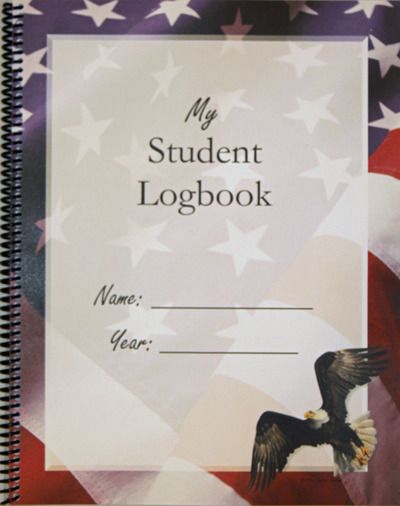
My Student Logbook  is a small homeschool company that grew out of one family's need for organization in their homeschool. I'm a little organizationally challenged at times, and unfortunately that has been handed down to my children to one degree or another, so I was pleased to be sent the dated My Student Logbook to help us in our quest for order. It is the perfect time for to start out with something new for my 9th grader as he starts high school.  We chose the "Freedom" logbook, as that seemed to be a theme that he would appreciate. There are 9 cover options, that should suit either boys or girls of a variety of ages (Butterflies, Dinosaurs, Sea Life, Jets, Rainforest, Freedom, Planets, Golden Vines, and Vintage Map). 
Here's a video that shows you the features of My Student Logbook, and how to set it up. If you can, take a minute or two to watch it,  and then I'll detail some of my favorite features below. 


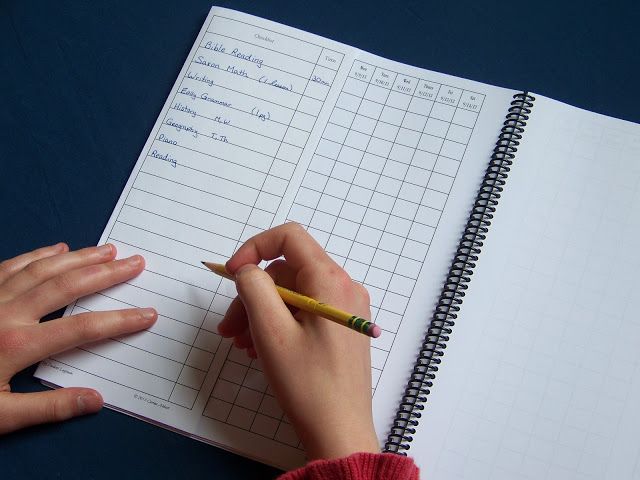
One of the nifty features of this particular log book (for me, at any rate), is the "Checklist page" that you can see on the left side of the book in this photo. This is where any and all subjects, courses, or activities that are done on a regular basis can be listed. The nifty comes in because this page is used every week, which eliminates the tedium of re-writing those subjects down every week. I'm all about economy of motion, so that suits me just fine! 
When the checklist is flipped back, there is space for specific directions for each course for that week. So far I have not used the "time" column on the checklist page, but have had my son list the amount of time that he is spending on each subject in the actual checkbox for each day. The little triangle that I've colored in on the top right corner of some of the boxes indicates that those are things that must be done this week. Next week some of those blank lines may be assigned as we add in new subjects the first few weeks of school.

This is one of my favorite ways to use this, as I can see where he is slacking off a bit, or perhaps spending too much time on one subject. I can also use it as a tool to help him see that he isn't really spending as much time on school work as he thinks (in comparison to time spent on distractions). ;) 

So far, I have been very pleased with the ease of using this as a lesson planner/record of work done. My son is also very happy with it. He loves knowing exactly what needs to be done before he can get outside (usually to go fishing). He also likes having explicit directions for each subject, and a record of where he is. Apparently the first day we used it, as he went outside, he declared to his older sister that he *loved* his Student Logbook, so I can't ask for much more than that! 

As I am faced with the task of putting together a transcript for his sister (a senior this year!), I am wishing that I had a tool like this when she started high school. My Student Logbook has a great page on keeping/creating a high school transcript (much of this information is included in the front of the Logbook. 

Pages for keeping more records in the back of the logbook (after the main body of the logbook) include: 

  • All About Me
  • Prayers and Goals
  • Bible Verses Memorized
  • Books Read 
    • (With space for estimated hours and subjects)
  • Events, Projects, Field Trips, Presentations, Activities 
    • (With space for estimated hours and subjects)
  • Test Records
  • Year Highlights

If My Student Logbook sounds like a resource that could be of use to you, I hope that you consider checking their website out more thoroughly, and/or connecting with them on on Facebook and YouTube


Not So Nutty Nitty Gritty 
  • Company: My Student Logbook 
  • Product: My Student Logbook (Freedom Cover)
  • Ages: 2nd grade through High School
  • Price:
    • $15 Printed version
    • $10 Single Use PDF
    • $20 Family License PDF
Please click the banner below to visit the TOS Review Crew and see what others had to say, as they used My Student Logbook with younger or older children, and in dated and undated versions. As always, I hope that this review was useful to you as you choose where best to spend your homeschool budget.
Blessings~


Click to read Crew Reviews
Crew Disclaimer

Friday, July 25, 2014

Apologia's "Flourish: Balance for Homeschool Moms" TOS Review Crew


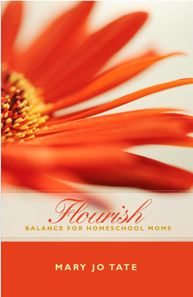
Confession: I often wish there were more hours in the day, and sometimes I wish that someone would come and help me figure out how to reinvent my life (my physical space AND my schedule) so that I wouldn't feel like I am fighting a battle against entropy (is that a common feeling amongst homeschool moms, or even moms in general? I suspect possibly so). This is one reason why I was intrigued by a new offering for homeschool moms from Apologia Educational Ministries, the new book by Mary Jo Tate, Flourish: Balance for Homeschool Moms

Mary Jo has penned a book filled with exercises and examples intended to help stop the juggling of too many balls (Because will inevitably fall), and instead assist in finding balance, with the tools to fine-tune that balance when something pushes(or pulls) away from that equilibrium. Mary Jo is also transparent and down-to-earth, sharing many of her been there and done that stories. I always appreciate seeing the real side of an author, as I find it inspirational when dealing with similar matters in my own life. 

Flourish is written to both a broad and a narrow audience~ It is a useful book for any homeschool mom, but especially one who is struggling with a sense of inadequacy, the feeling that they are facing an overwhelming task, or dealing with general chaos. It is also written particularly towards those moms who not only school at home, but are working, or hoping to start working a home business alongside their schooling, and a final even more pinpointed category, suggestions to support the single/work-at-home/homeschooling/mom. 


The first chapter is a bit of an introduction to the book, and then Mary Jo jumps right in with great ideas on prioritizing your life. She starts with a few categories, and then gives a plan that begins with the big "Life Time Goals" and then narrows down to the focused weekly and daily plans, offering many tools to help get the job done. 
Chapters in the book: 
  1. An Invitation to Flourish
  2. Change Your Mind to Change Your Time
  3. The FREEDOM Toolbox
  4. Where Did My Time Go?
  5. Aim High: Setting Goals
  6. What Do I Do Next?: Seven Essential Planning Tools
  7. We Interrupt This Program
  8. It's Time for an Attitude Adjustment
  9. Oxygen Masks and Monkey Bread Days
  10. Training Your Children
  11. Making Memories
  12. Managing Your Home
  13. All of Life is Learning
  14. Solo-Act: Flourishing as a Single Mom
  15. Home Business
  16. Moving Ahead
I feel this book could useful for any homeschooling mom. Even if a specific situation doesn't currently apply to us, chances are it might at some point in the future, and in the meantime, if we have the tools, the resources and the information, we can be a help and a support to our friends when they may not be feeling very balanced or that they are flourishing
One of my favorite things in this sort of support/encouragement book is when there are inspirational tidbits scattered throughout, and Mary Jo has come up with quite a number of motivating quotes. The following isn't from one of her quote boxes, but something Mary Jo says in her book that sums up the basic intent of Flourish

This book is not primarily about what boxes to put things in, 
but figuring out what things to put into boxes. 

As I have read through the book, I have gained more perspective on things that I can do to change the way my home and homeschool look and work, so that they can flourish and thrive, along with some step-by-step directions to get there.

Visit Flourish #flourishathome and Mary Jo Tate on Facebook  and Twitter

Not So Nutty Nitty Gritty 
Please click the banner below to visit the TOS Review Crew and see what others had to say. As always, I hope that this review was useful to you as you choose where best to spend your homeschool budget.
Blessings~


Click to read Crew Reviews
Crew Disclaimer

Thursday, May 30, 2013

Simplified Dinners/Paperless Home Organizataion

A homeschool mom's dilemma~ what to do with all the stacks of paper, notebooks, home management journals, to do lists, shopping lists, menu plans... you name it and it's in paper form, I know that *I* at least, am oftentimes SWAMPED with it. Even electronic to do's like my email inbox are out of control.

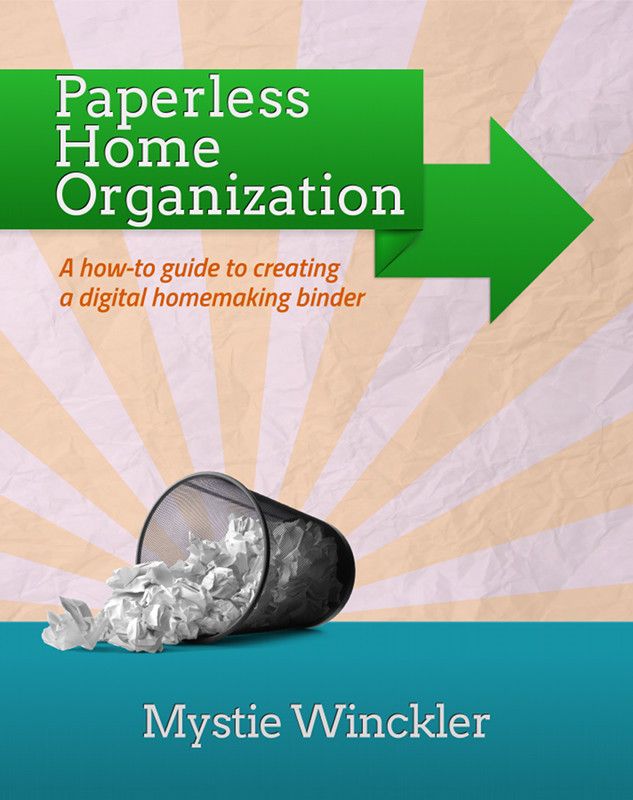
Thankfully, a kind and organized soul has created an ebook manual to help tame the paper monster (and yes... the electronic monster) by utilizing some fairly simple methods, and apps. Mystie Winckler (Author of the Simplified Pantry ebooks below) gives us Paperless Home Organization.

I have to admit that it has taken me quite awhile to get going with this system (in part because I get hung up on things like "why isn't my iCal on my computer syncing with the iCal on my iPad with the iCal on Google correctly! I have duplicates, and then I have nothing! ARGH!!! ... see.... sidetracked... whoops!), but even in spite of my sidetracks, I have been able to see some success in paring a few things down through following the tips and ideas in Mystie's book.

True Confession: I am an email hoarder~ I almost NEVER delete emails (Because I might need it some day, right??? Right! It has come in handy being able to pull up a 3 or 4 year old email upon the rare occasion). As a result, my inbox would terrify a truly type A person, while it sometimes causes me to miss an important email amidst all the "stuff." Mystie shows how to use filters and labels and tags to organize even the "junk" that I might want to read if I have a minute, as well as the essential emails. In the space of oh, 30-45 minutes I whittled my "unread inbox" from 131,170-ish emails down to 127,128 emails. (That was just creating filters from emails on my first page. Pretty nifty, right? If I can keep it up, one day I might have a sleek, slim inbox as well (While still keeping those essential archives, just in case... :) )

So~ different things will have a greater impact on different folks. For me, that was a big one. The calendar~ well.. if I could only get the technology to play nice, that would be good as well. Mystie gives more tips and instructions on using the electronic calendar to a much greater potential than I have tried so far.

Now, one thing that I am still working on wrapping my head around is the "Home Organization" part of this system. It entails the use of a couple of applications, with fairly detailed instructions, but I have bogged down in a couple of places. Evernote is the major application being used, and I have only just begun to utilize it, with help from Mystie, whose organizational skills far surpass my own.
She details how to set Evernote up to store homeschool information and even portfolios, recipes and menu organization and so much more.

For someone who has been bogged down for years I can almost promise that it's going to take *me* months to get things all in place and organized, because it DOES take some time to implement any sort of "organization" virtual or otherwise. I am hopeful that this is a system that might work for me (*if* I can get into the habit of doing certain tasks every day~ yep... that's definitely a part of my problem~ consistency). ;) Having this manual is like taking a class in electronic organization~ without having to find childcare, or leave your home!

The  Review Crew received a couple more ebooks from Mystie to review and check out~
Simplified Dinners and
Simplified Dinners Gluten Free/Dairy Free

These are  both fairly concise ebooks (30-33 pages) but they are jam-packed with some great ideas~ the basic concept is to "simplify dinner" by using a basic type of meal, and then giving variations on the dishes, so that you don't feel like you are cooking the same thing over and over.

If you want to get a feel for the way the books are set up, you can download a Simplified Dinners Sample and a Simplified Dinners Gluten Free/Dairy Free Sample. The samples include
  • The introduction
  • The master pantry list
  • Recipe variations for one of the 16 meal types
The meal types included are:
Slow-Cooker Roasts                                 Slow-Cooker, No-Defrost Chicken Pieces
Chicken-in-a-Pot                                      Skillet Cutlets with Pan Sauces
Marinades for Grilling or Broiling           Foil-Packet Fish
Stovetop Pasta                                          Bean Pots
Lentils over Rice *GF only                      Fajitas
Quesadillas                                               Taco Bar
Burritos or Enchiladas                              Taquitos
Frittata                                                      Oven Omelette
Pizza *not in GF                                       Simple Stir-fry
Potato Hash                                              Baked Potato Bar
Bean Soups                                               Stews
Blended Vegetable Soups                         Quick Soups
Main Dish Salads                                     Vegetable Side Dishes
Side-Dish Salads                                       Starchy Side Dishes
Gluten- & Dairy-Free Desserts*GF only

Many of the ideas (For instance, the Stovetop Pasta Dishes) are ones that I already use, but I sometimes get in a rut, and this is a handy little resource to have around to make it a little easier to help the same meal not taste the same 3 weeks in a row. ;)

I also appreciate the brevity of the instructions~ for the same basic meal (Say, "Blended Soups") the basic stovetop process and the slow cooker process are written down first. They are  followed by each variation. If a certain step is skipped, it tells you, and the only the specific variations are included.  This is how it is possible to get 5 (or more) recipes on one page! Yes short, yes, concise, yes simple, but NOT skimpy! 
I will mention that many of the recipes are duplicated in both books, but if you are GF/DF, you will definitely want to check out that option. Be sure to explore the Simplified Pantry site~ there are a few more recipes included, as well as some techniques and such.
Not So Nutty Nitty Gritty 
For those who purchase both Simplified Dinners and  Paperless Home Organization, Mystie has Simplified Dinners in an Evernote Stack that she will share upon request. If you use Evernote (or decide to after reading Paperless Home Organization), simply email her and ask for the Evernote Simplified Dinners and she will send you the invitation (she can only do it manually from Evernote, so she needs individual requests). 

Mystie is offering a TOS Review Crew discount: when readers enter TOS2013 at checkout, they can receive 30% off! That discount will work on any or all of her eBooks, through June 3rd.

Please click the banner below to visit the TOS Review Crew and see what others had to say (They may have gone more in depth on the Simplified Dinners options, I chose to focus on the HOme Organization). As always, I hope that this review was useful to you as you choose where best to spend your homeschool budget.
Blessings~


Photobucket

Saturday, November 6, 2010

Books! Books! Books! (Organizing them... YIKES!)

I am a bibliophile. Some might say I was a book-a-holic. Did I mention that I like books? That bookshelves are found in every room in my home? This is wonderful for someone who tends to loosely follow Erasmus~ "When I get a little money I buy books; and if any is left I buy food and clothes." And when those bookshelves are filled to overflowing, consider this quote from Henry Ward Beecher~  Books are not made for furniture, but there is nothing else that so beautifully furnishes a house.  Ummm... yeah~ This describes my home: Stacks and piles and baskets of books, along with the shelves( although sometimes I wonder about the "Beautiful" aspect~ I have to work on that part).


This is a "good problem" to have in my estimation, but in my particular circumstance it carries with it another problem~ That of a homeschool "Librarian" that doesn't have a really good handle on her entire book collection~ Exactly WHAT books she owns, what duplicates she owns (Some intentional, like trying to collect the entire Five In A Row library in triplicate for her children, and some less intentional, like.. OOPS! I already own that book!)


PhotobucketAll this means that I was extremely excited to have the opportunity to write a review on a product that is intended to help me catalog my extensive book collection.   "The Book Collector" is a software program offered in both PC and MAC platforms by Collectorz.com  .


The basic concept is that you have the ability to enter books into the software, either  by a cue cat or other compatible scanner, or by manually typing in ISBN or Title/Author information into a form. I don't own a scanner, but if this is something that you are interested in, you might want to check out some of the other TOS Crew reviews, as at least a few of my "mates"  had that technology available to them. However, my review is based on just the program itself, and entering books the old-fashioned way. (Although when I upgrade my itouch, I plan to make use of the technologies that exist for that as well! Here's a little look at how this might look on your computer screen:
Photobucket


Let me back up just a minute and let you know that this particular software is for cataloging books, specifically, but collectorz also offers versions that will track your music, game, movie, comics, mp3, and photo collections as well! Each version comes with rather thorough support. Here is the "Support" page for "The Book Collector," which I found helpful, as it took me a little while to find my way around the software. Here is the fairly simple process I have been using:


Add the Book:
I discovered that I could add books "Automatically" in a manual sort of way, by typing in the author/title of a book into the correct screen. Then the software searched for all possible "matches" to the book. From there it was easy to sort the returned matches by ISBN or publisher to locate the one that hopefully matched the book in my hand. Sometimes all the information but the last digit of the ISBN matched perfectly, so I would select that book. (Just a note~ It is also possible to add books with no ISBN, but that has to be done from the "Add books Manually" screen)


Edit the book information:
Preferences for this software allowed me to set it up to open an "Edit book information" series of pages after selecting the book. This is the place where I could do things like change that last digit of the ISBN of the book, enter in its condition, and if I took the time, I could enter in the price I paid for the book, and the current value. There is a lot more information that can be included here, but I haven't bothered with all that just yet, in my quest to get what I am SURE will end up being thousands of books entered into the system.


Categorize the book:
This is one of my favorite things in this software~ There are places to check off the genre and the subject of the book. I was not only able to check off more than one in each list (if applicable), but I could edit each list to include categories that are specific to my way of thinking. So, for instance, I was able to create  "children" and  "education" genres, and in the subject field, I added things like
  • FIAR (For my beloved Five In A Row books)
  • FIAR go-along
  • Bedtime
  • ABC
  • Numbers/counting
  • Science
  • Math
  • History
  • Geography, etc... 
I am thinking that I might specialize a little more, and include things like
  • horse
  • birds
  • dogs
  • ocean
  • Greek scientists, etc...
Benefits:
The huge benefit to this (because I have, for example, what some might consider an inordinate amount of bedtime and ABC books), is that if I want to see which ABC books I own, I can search and sort the whole library by that criteria(As well as by year published, publisher, and a whole host of other information). NEAT!


PhotobucketHaving an updated list of the books I personally own will save me both time and money, in searching for titles, as well as eliminating duplicate purchases. There is also the potential to keep track of books loaned, and having a hard-copy list for insurance purposes is not a bad idea either. Oh, yes, and I can also assign an owner to each book, which is great, since my kids have also aquired a love of reading, and to some degree, owning their own books.  :) I expect to use this program to assist me in organizing my bookshelves as well, once I get them all entered in, because there is a field that can be personalized with specific locations! Someday, just maybe, my bookshelves will look like this:


This software is so jam packed with features that it is going to take me a while to explore some of the other features beyond the basic until I  get the bulk of my books entered, but to give you an idea, here is a great page that lists many of the features as well as a "compare" page to help you determine which version of "The Book Collector" might be most helpful for you.


Price:
Ah yes~ this leads me to the "nitty gritty" of this review... the cost.
First there is a free trial version that allows you to enter 100 books(ummm... are you SURE you homeschool?? ;) This is a good option for "Test-driving" the software tho' :) )
Next there is a Standard version for $29.95
Third there is a Pro version for $49.95


(Don't forget that "compare" page mentioned above, to see the differences between the standard and pro versions. )


Collectorz.com also offers "Bundles"(ranging from $64.80 - $194.80)  that include a variety of scanners that work with their software to make entering books a little easier.


I've been thinking for YEARS that I need to get my book collection under control/categorized, and with The Book Collector I can do that and make it searchable as well! So far I am pleased with the performance of this program, and think it will certainly add value to my homeschool by increasing MY organization, and saving me time in the long run.


As always, I hope that this review is helpful to you, as you consider where to best spend your precious homeschool budget. Don't forget to check out other Crew reviews!


Blessings~
Disclosure of Material Connection: I received this/these item(s)/service for free as part of the TOS Crew Review Program. I was not required to write a positive review. The opinions I have expressed are my own. I am disclosing this in accordance with the Federal Trade Commission's 16 CFR, Part 255: "Guides Concerning the Use of Endorsements and Testimonials in Advertising."

Sunday, August 15, 2010

TOS 2010-2011 Planner~ (Advertisment) Special Offer~ Ends Sept 13!

Just bumping this up before this special ends on the 13th! 
Are you READY for the 2010/2011 School Year? 
(Start Your Engines!)
Do you have your ducks in a row?
Are you a list maker?? 

OR~ Are you a "FBTSOYP"-er 
(AKA a Fly By The Seat Of Your Pants-er)
  • Do you have all the inspiration that you require for the upcoming months?
  • Do you have favorite new recipes to try from fellow-homeschoolers?
  • Do you have a plan for your child(ren)'s education this year?
  • Do you have a plan for cleaning, and cooking, and changing the oil?
If you answered "No" to one or more of these questions, 
The Schoolhouse Planner may be just the tool 
to keep your feet firmly planted on the ground, 
while watering your school and your soul with help and inspiration.
The good folk at The Old Schoolhouse Magazine have pulled together an incredible compendium(over 600 pages!) of forms, facts, lists, and recipes, as well as mini "inspirational" bits by some well known names in homeschooling today.

This is not your mother's planner of yesteryear~ 
You know.. the kind with tiny refillable blank "Sets" of 12 -52 pages purchased at the local office store for $8-$13 apiece ~ of which you "need" to purchase at least 3 or more to have a planner that is "usable and useful"

This is a fully customizable planner 
with unlimited printable pages(within a single family) 
and multiple options to choose from
(HUNDREDS of pages worth!)
List-makers will LOVE this, FBTSOYP-ers NEED this! 
The remaining pages are those monthly themed
recipes, inspiring bits, resource lists, and "facts" mentioned above

The Price? 
For $39 plus the cost of ink and paper and "binding", 
you can have a customized planner for everyone in your home! 
  • Mom
  • Dad
  • High School Students
  • Middle School Students
  • Elementary Students
  • There are even pages to make a "planner" for the preschooler!

Now the chores have a chance to get done, and on time even!
Laying out schoolwork plans and goals is neat and readable
(did  I mention update-able?)
Keeping records of what was done is a snap
 For more information and to purchase, please visit the schoolhouse store . The planner is available as a down-loadable ebook, and also on CD.

One more thing
~A special offer that expires at midnight, September 13, 2010~ 
Purchase the planner and receive all 12 2008/2009 "monthly modules", all 12 2009/2010  "monthly modules" , and the We-Ebook Insect Bundle to give your homeschool unit studies a head start!   
These stand alone modules are filled with interactive activities and information that will serve the elementary crowd, but also include "Expansion" ideas for those older students in your family. These extras are $190 value if purchased separately!   Check it out!
  
Disclosure of Material Connection: This is an advertisement. I was provided with the 2010/2011 Schoolhouse Planner  by The Old Schoolhouse Magazine(as a member of The Old Schoolhouse Crew), free of charge, in order to write this advertisement as part of an ad writing contest. If you click through any of the links and make a purchase, I may also receive a commission on your purchase. Thank you for your support.
Clip art from http://www.wmfclipart.com/ and my personal photography

Followers

LinkWithin

Related Posts with Thumbnails